🏠 How to Start Roof Modelling with a Template
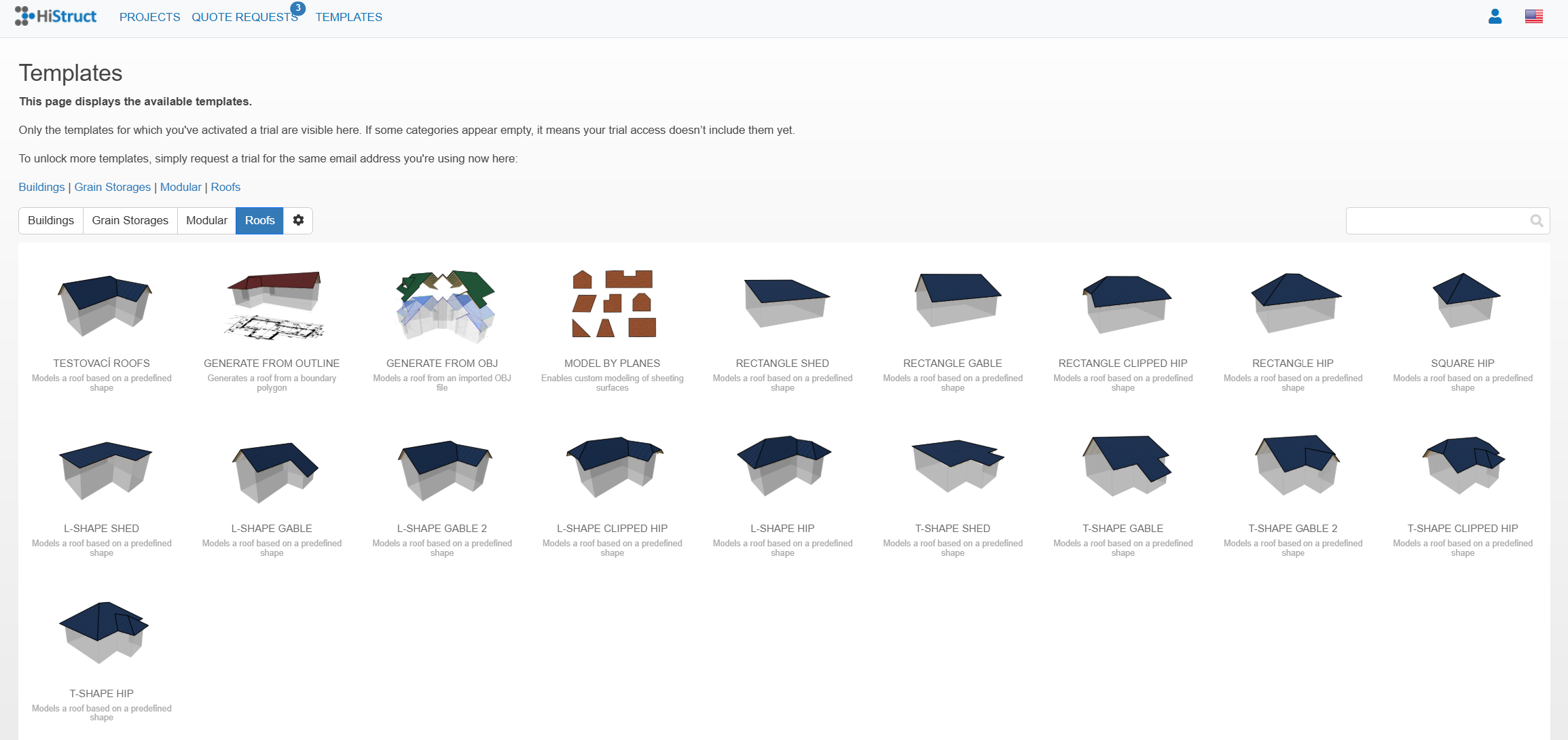
If you want to model simple standard-shaped roof and have the dimensions available, one of easiest ways how to get your roof model is to use one of our predefined templates:
- When creating a new project, select a suitable template from the predefined templates offered. Or directly open the Templates in upper left side of the HiStruct menu and choose suitable roof template. The chosen template will open directly in application.
- Click on Geometry card to define basic dimensions of the building, building height and roof slope. You can also move the eave to change/switch the eaves edge
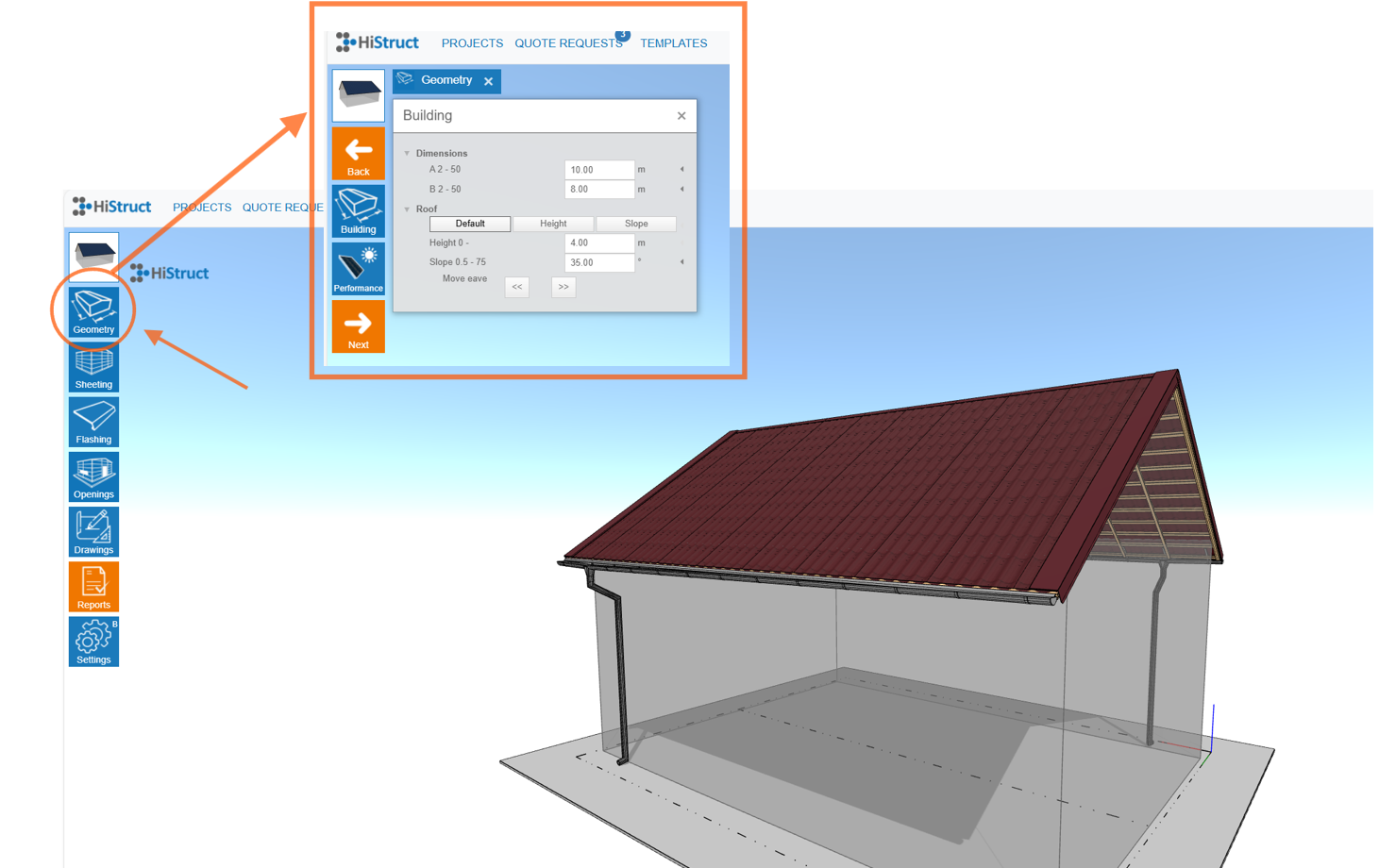
And that's it! You can now see your roof almost done. In other steps you will choose sheeting, flashing, add openings and generate outputs.