📐 Drawings, Documents, BOMs... Simply Outputs
Once your 3D model is ready, it's time to get your outputs - everything you need to prepare a polished offer for your client in just a few clicks!
📐 Drawings
Access the Drawings menu by clicking the Drawings button in the left-side menu. Then press the Site Views button to generate preset drawings showing the entire roof or wall structure, oriented according to the main X, Y, Z axes.
Here, you can generate and further edit drawings of roof or wall structures. Simply open the drawing you want to use.
Once a specific drawing is opened, you can further edit it:
-
Change its scale
-
Add lines, dimensions, or labels
-
Measure any distance you need
This gives you full control over your technical documentation, ensuring every detail is clear and accurate.
🧾 Reports - Preparing Quote
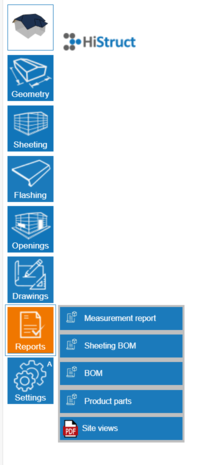
Reports and price quote. What is normally tedious and time-consuming is just a click away in HiStruct. Every report is created automatically, saving time and effort.
All outputs - drawings, BOM (Bill of Materials), and other reports - update automatically when you make changes to the project, keeping everything current and accurate.
HiStruct produces reports in .pdf, .html, or .docx formats, ready to share or attach to your offer. Let's have a look at it in detail:
- Measurement Report
A document with all dimensions for individual wall or roof planes, as well as roof edges. Perfect for double-checking accuracy before construction or installation.
- Sheeting BOM
A detailed report of cladding elements for each roof or wall plane, including their layouts. This report is invaluable for installers, giving them a clear map of all panels and their placement.
- BOM
A tabular report of all sheet elements in the project. This allows quick review of quantities, parts, and material requirements - essential for planning, costing, and ordering.
- Product Parts
A comprehensive report of all roofing and flashing elements, including accessories such as screws and fasteners. This report helps ensure nothing is overlooked and that all components are accounted for.
- Site Views
A document with visual overviews of the modeled structure. These preset views are oriented according to the main X, Y, Z axes, giving your client a clear understanding of the overall project at a glance.